
When something is missing or not working
Most problems have a simple cause. Go through the following situations; if none of them helps, contact the teacher or us.
Course synchronization takes place at midnight. If you registered for the subject in the last 24 hours, please wait. If your registration was more than 48 hours ago and you still do not see the course, contact us via the Contact Us link in the footer of the Moodle FEE page at the bottom left. If you need the content immediately, ask the teacher for a manual synchronization.
The Contact Us link (1.) is located in the page footer at the bottom left.

The course may still be in preparation, or the semester may not have started yet. The content will appear once the teacher makes it available. If the content is still missing a longer time after the semester starts, ask the teacher.
The teacher can hide an activity, or make it available only to selected groups or from a certain date. Check whether the activity has been made available already, and if you still do not see it, write to the teacher.
- Has the due date already passed?
- Is the
Add submissionbutton shown in the assignment? If not, contact the teacher. - Did you already submit the assignment earlier? Check the submission status.
See the Frequently asked questions. An Erasmus student may only have a temporary account in KOS at the beginning of the semester; the regular account is created during the first two weeks of the semester.
Every day at 3:00 the system is backed up and access is restricted for about 10 minutes.
You can write an idea, a problem or a suggestion for improvement directly in Moodle FEE, without having to create a request in the service desk. Click the paper plane icon in the top bar (1.), write your message in the Your feedback field and send it with the Send feedback button.
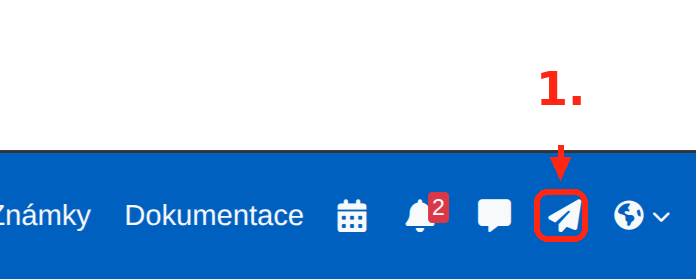
The page you sent the message from is saved with it automatically, which helps us find the problem faster.
NoteFeedback is one-way communication – you will not receive a direct reply. If you need specific help (e.g. a missing course), use theContact Uslink in the footer of the Moodle FEE page at the bottom left. The number of messages you can send within 24 hours is limited.
- Course content, deadlines, grading, availability of activities – your teacher.
- A course missing from the dashboard for more than 48 hours, technical problems of Moodle FEE – contact us via the
Contact Uslink in the footer of the Moodle FEE page at the bottom left. - Ideas and suggestions for improvement – feedback directly in Moodle.
- Logging in with your CTU account – CTU support.