
Submitting an assignment
Assignments are activities where you upload your solution (a file or text) and the teacher then grades it. The sample course and user in the images are fictitious.
Click the assignment name in the course. You will see the task description, the dates and your submission status:
- the
Add submissionbutton, - the
Opened(from when solutions can be submitted) andDue(until when) information, - the
Submission statustable – it shows whether the solution has been submitted, whether it has been graded yet (Grading status) and how much time is left until the due date (Time remaining).
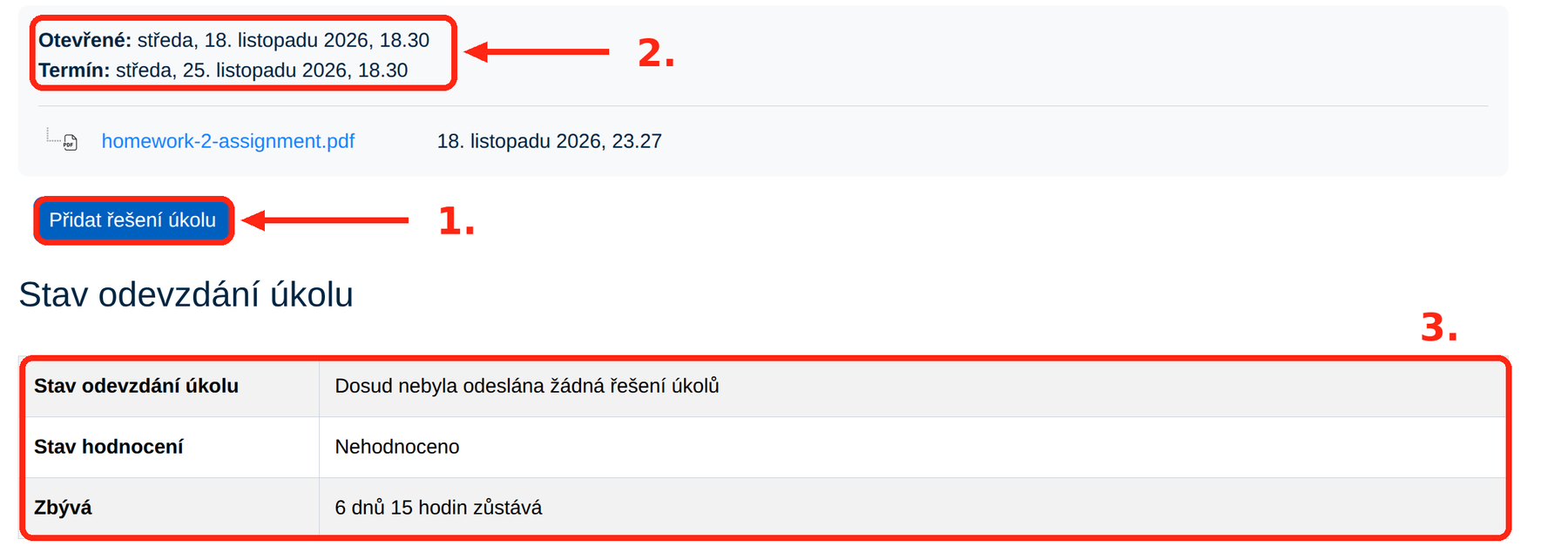
- Open the assignment and click
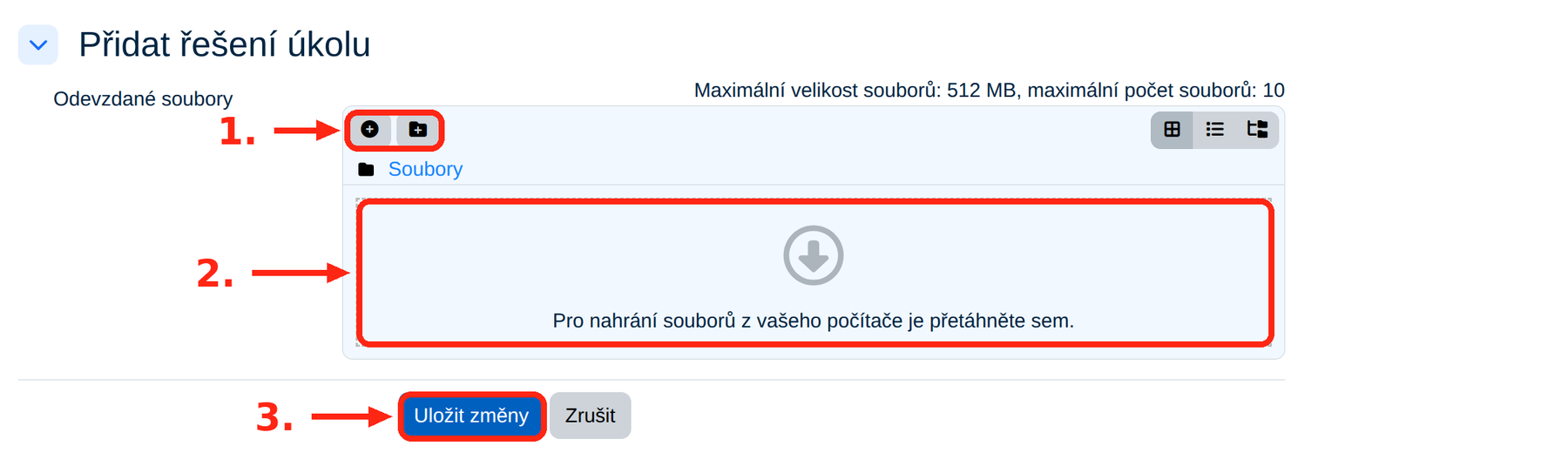
Add submission. - Upload a file – drag it to the marked area (2.) or use the add file icon (1.). Or write text directly into the editor – depending on what the teacher requires.
- Click
Save changes(3.). - Check that the
Submission statustable shows that the solution has been submitted.
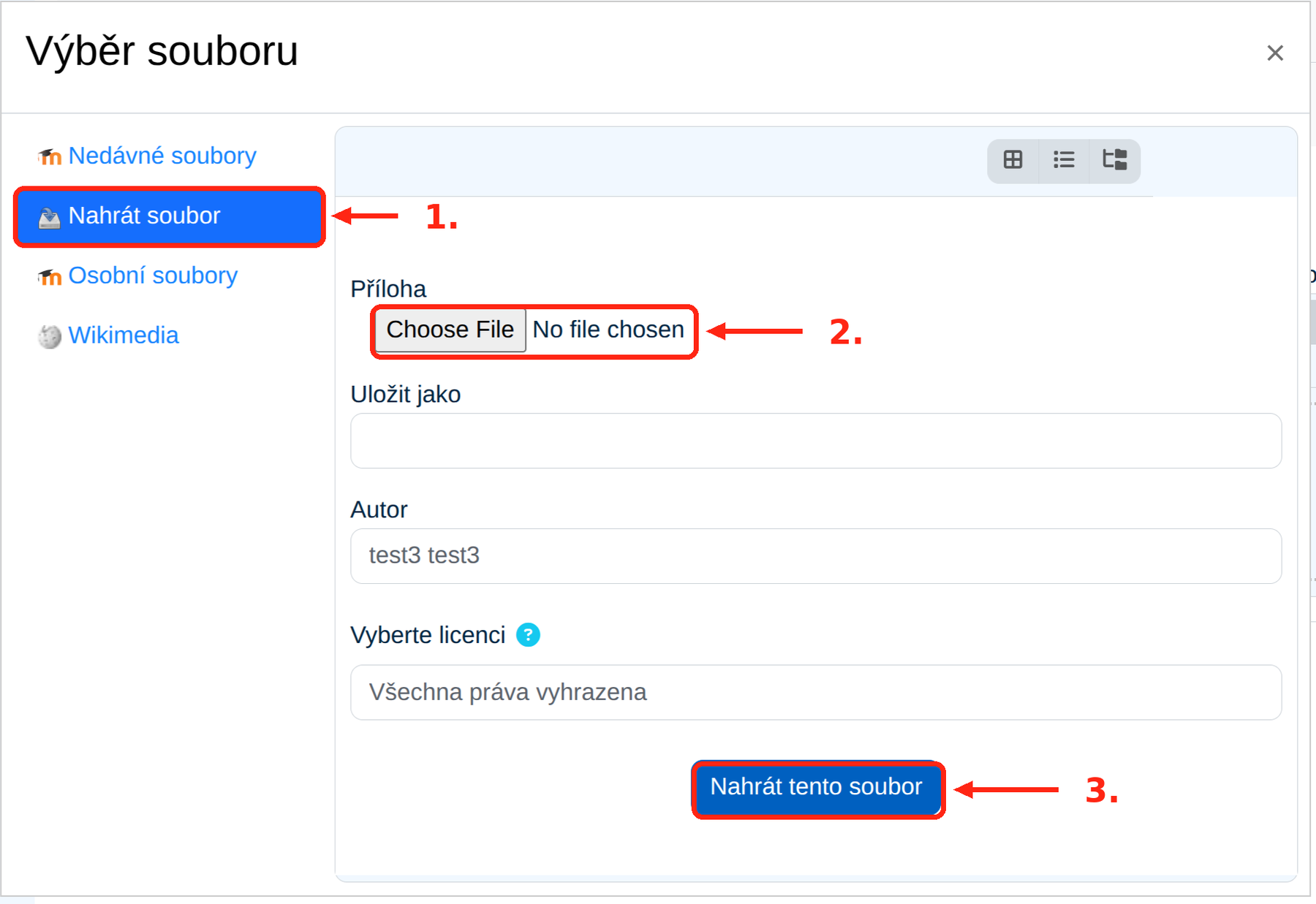
Clicking the add file icon opens the File picker window. Choose Upload a file (1.), select a file from your computer (2.) and confirm with the Upload this file button (3.).
NoteAlways check the submission status before the due date. If you see a button for submitting the assignment for grading, you still have to confirm the solution.
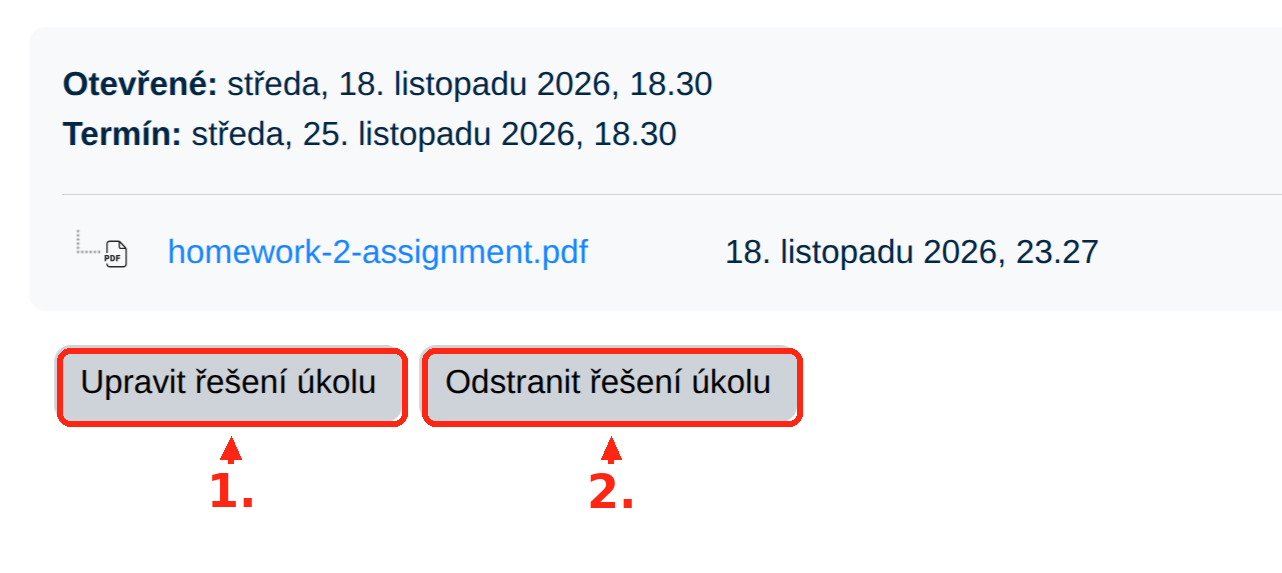
After submitting, the assignment shows the Edit submission (1.) and Remove submission (2.) buttons. As long as the due date has not passed and the teacher has not locked the submission, you can edit or remove the solution.
- Mind the maximum file size and number of files stated above the upload area.
- Do not use special characters in file names.
After the due date has passed, the solution can no longer be submitted. If you need an extension, contact the teacher, who can adjust it for you individually.
Points and comments on the submitted assignment appear after the teacher grades it, directly in the assignment and in the course grades overview. When and whether the grading is shown is determined by the teacher.
If you do not see the submission button, see What to do when something is missing or not working.